Editors
Configure the server command as csls with lsp as its only argument. Start the
editor from a directory containing a solution or project so Roslyn can load the
workspace.
Add a C# language server entry to fresh.json:
{ "lsp": { "csharp": { "command": "csls", "args": ["lsp"], "enabled": true, "auto_start": true, "root_markers": [".slnx", ".sln", ".csproj", ".git"] } }}Fresh only starts language servers in a trusted workspace.
Add this to languages.toml:
[language-server.csls]command = "csls"args = ["lsp"]
[[language]]name = "c-sharp"language-servers = ["csls"]
Run hx --health c-sharp if Helix cannot find the command.
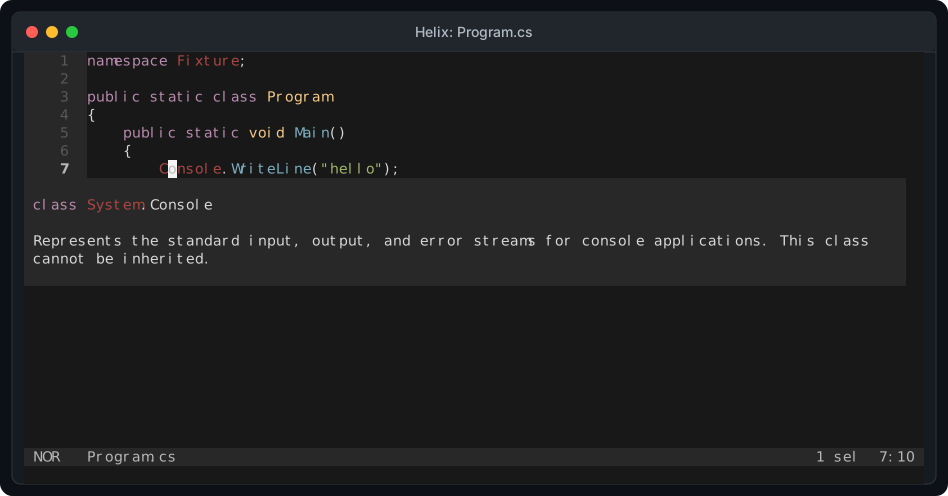
Click the screenshot to view it at full size. It is captured from the same real Helix and Hex1b session used by the integration test.
Neovim
Section titled “Neovim”Neovim 0.11 and later can register csls directly:
vim.lsp.config("csls", { cmd = { "csls", "lsp" }, filetypes = { "cs" }, root_markers = { "*.slnx", "*.sln", "*.csproj", ".git" },})vim.lsp.enable("csls")GNU Emacs
Section titled “GNU Emacs”Register csls with Eglot before opening a C# buffer:
(add-to-list 'eglot-server-programs '((csharp-mode csharp-ts-mode) . ("csls" "lsp")))Run M-x eglot if the current C# mode does not start Eglot automatically.
Install the csls extension from Zed’s extension gallery. It downloads the
matching csls release for the current operating system and architecture, verifies
the published checksum, and starts the csls language server for C# and Razor.
Use a local build while developing the server:
{ "languages": { "CSharp": { "language_servers": ["csls", "!roslyn", "!omnisharp", "!csharp-ls"] } }, "lsp": { "csls": { "binary": { "path": "csls", "arguments": ["lsp"] } } }}VS Code
Section titled “VS Code”Install the willibrandon.csls extension and disable the Microsoft C# and C# Dev
Kit extensions so one language client owns each C# document. Desktop and remote
extension hosts run the packaged Native AOT launcher and Roslyn worker. The .NET
Install Tool supplies the supported runtime and SDK. The Solution view supports
restore, build, run, debug, and Microsoft Testing Platform tests.
VS Code for the Web runs csls in a WebAssembly worker and synchronizes the virtual workspace without requiring a local .NET installation. Language features and the Solution view work in the browser. Commands that start local processes remain on desktop and remote workspace hosts.
The repository runs one feature contract against desktop, remote, Chromium, Firefox, and WebKit extension hosts. The contract covers hover, completion, definition, semantic tokens, configurable inlay hints, diagnostics after edits, formatting, rename, code actions, created files, and server restart.
Other clients
Section titled “Other clients”Any other LSP client that can launch a standard input and output server can run:
csls lspUse the workspace folder URI during initialize. The server discovers .slnx,
.sln, .csproj, and file-based app entry points below that folder. Multi-root
clients can add and remove folders without restarting the server.