Getting started
Install Logrotate from the Visual Studio Marketplace or Open VSX. The extension supports Visual Studio Code desktop, remote extension hosts, and vscode.dev.
Try a configuration
Section titled “Try a configuration”Open a recognized file or create logrotate.conf. This small configuration is enough to try the
editor support:
/var/log/application.log { weekly rotate 4 compress}Explore editor support
Section titled “Explore editor support”Move the cursor over a directive to read its description. Run Trigger Suggest to see directives valid at the cursor.
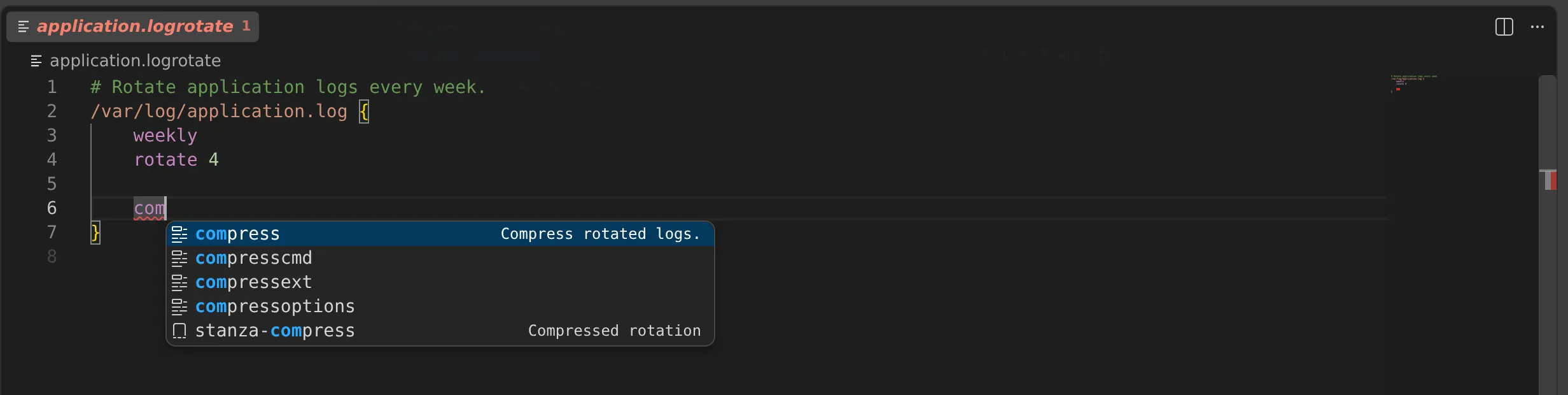
Misspell a directive to see a diagnostic in the editor and the Problems view. Run Quick Fix when a safe correction is available.
Run Format Document to normalize configuration indentation and spacing. Text inside prerotate,
postrotate, firstaction, lastaction, and preremove blocks is preserved exactly.
Project filenames
Section titled “Project filenames”If the project uses an unusual filename, add a Visual Studio Code file association. The recognized files page shows the narrow defaults and the association syntax.